Beginner’s Guide to On-Page SEO (2026): A Step-by-Step Checklist That Works
- Home
- Knowledge Sharing
- Beginner’s Guide to On-Page SEO (2026): A Step-by-Step Checklist That Works
Table of contents
- What on-page SEO is (and isn’t)
- The 3-part model: Relevance, Understandability, Experience
- The 60-minute on-page SEO sprint
- Title tags + title links (how to win clicks and reduce rewrites)
- Meta descriptions + snippets
- Headings + content structure
- Internal links
- Images + alt text
- Structured data / schema
- Canonical, noindex, duplicates (decision tree)
- Mobile + page experience (Core Web Vitals in 2026)
- Canada + USA localization (en-CA/en-US/fr-CA)
- Measurement (GSC workflow)
- Common mistakes
- FAQs
- Sources (accessed 2026-02-04)
What on-page SEO is (and isn’t)
On-page SEO is the set of improvements you make within a page and its HTML — content, headings, internal links, metadata, images, structured data, and page-level index controls — so search engines can understand it and users can complete the job they came to do.
It’s not:
- Technical SEO (site-wide crawling/indexing architecture, sitemaps, rendering, server issues)
- Off-page SEO (links from other sites, digital PR, brand signals)
Most beginner guides separate the “three pillars,” but on-page SEO sits right in the middle: it’s content, HTML, and UX in one place.
The 3-part on-page SEO model (easy mental framework)
When you optimize any page, you’re improving three things:
A) Relevance (Does it satisfy the query?)
- The page fully answers the user’s question.
- The page matches the intent type (definition, comparison, how-to, pricing, location, etc.).
Google’s guidance focuses on creating helpful, reliable, people-first content — not content written to manipulate rankings.
B) Understandability (Can Google interpret it easily?)
- Clear main topic + clear structure.
- Crawlable internal links and stable canonical signals.
C) Experience (Is it fast and usable on mobile?)
- Mobile-first indexing best practices apply to everyone.
- Core Web Vitals + page experience are part of the broader set of signals (not a single “magic” ranking switch).
The 60-minute on-page SEO sprint (repeatable process)
Use this workflow for every page that matters (service pages, key landing pages, category pages, high-intent blog posts).
Minute 0–10: Confirm the page’s job + search intent
- Write one sentence: “This page helps[who] do[what] in[where/when].”
- Identify intent type: informational/commercial/transactional/local.
Example (Canada + USA):
- Local service page: “Emergency plumber in Toronto (24/7).”
- SaaS page (US): “SOC 2 compliance software pricing & features.”
Minute 10–20: Fix indexability + duplicates first (the “don’t waste effort” step)
- If the page should rank, ensure it’s not blocked by the noindex attribute.
- If multiple URLs display the same content (filters, parameters, HTTP/HTTPS, trailing slash, UTM variants), establish a canonical approach.
Rule of thumb:
- Use the noindex attribute when you don’t want it indexed by search engines.
- Use canonicalization when duplicates exist, but you want one primary URL indexed.
Minute 20–30: Title + H1 alignment (reduce rewrites, improve CTR)
- Draft a title that matches the page and aligns with the visible main heading. Google may use multiple sources when creating title links.
Minute 30–40: Rebuild the content structure
- One clear H1, then H2s that map to sub-questions.
- Add a short summary near the top (helps humans and often helps AI-style retrieval).
Minute 40–50: Internal links + images
- Add 2–6 context links to related pages (crawlable anchor links).
- Fix image filenames/alt text where they add meaning.
Minute 50–60: Add structured data (only if it fits) + QA
- Add schema only when it accurately represents visible content.
- QA: mobile view, page title present, canonical present, indexability correct.
Title tags + title links (how to win clicks and reduce rewrites)
What beginners get wrong
They write titles for robots (keyword stuffing) instead of a clear, human-readable title that matches the page's visible topic.
What Google actually says matters
Google can create title links from different sources (including prominent headings and other visible text) and may change the title link when it detects common issues (such as multiple prominent headings or an unclear main title).
Practical title rules (that work in 2026)
- Make it specific (page-level, not site-level)
- Make the main topic obvious in the first part of the title
- Match the language/script of the page content (important for bilingual/multi-region sites).
- Align <title> with the visible primary heading (usually the first H1)
Examples
- Canada local: Emergency Plumber in Toronto (24/7) | BrandName
- USA SaaS: SOC 2 Compliance Software: Features, Pricing & Timeline | BrandName
- E-commerce category: Running Shoes for Winter: Men’s & Women’s | BrandName
Meta descriptions + snippets (what you control)
Google may use your meta description to generate a snippet when it helps users, but it can also choose other on-page text.
Meta description best practices (beginner-friendly)
- Write unique descriptions for important pages.
- Include useful page-specific details (author/date for articles; price/brand/model for products when relevant).
- If you absolutely must control snippet appearance in special cases, use Google Docs snippet controls such as nosnippet and max-snippet .
“Meta keywords” note (so you don’t waste time)
Google explicitly does not use the meta keywords tag for web search ranking. [11]
Headings + content structure (beginner rules)
Even when you know SEO, you’re still writing for humans first. A clean structure:
- improves readability
- reduces pogo-sticking
- makes it easier for machines to extract meaning
Simple rules:
- One main topic, one primary heading (H1).
- H2s = the major sub-questions a beginner would ask.
- Keep paragraphs short; add lists and examples.
Mini-template for most pages
- H1: the page’s promise
- 2–3 sentence summary (what you’ll learn/get)
- H2: “What is X?”
- H2: “How X works”
- H2: “Step-by-step: do X”
- H2: “Common mistakes.”
- H2: “FAQ”
Internal links (crawlability + anchor text)
Internal links do two jobs:
- Help users discover related info
- Help Google find and understand pages
Google’s link documentation is unusually practical:
- Google generally crawls links best when they are <a href="..."> elements.
- Anchor text should be descriptive (avoid “click here”).
- For image links, Google may use the image’s alt text as anchor text — so descriptive alt matters.
Beginner internal linking checklist
- Add at least 2–6 internal links from each important page to closely related pages.
- Use anchor text that would make sense out of context.
- Ensure links are crawlable and not “onclick-only” JS.
Images + alt text (SEO + accessibility)
Image filenames
Google recommends using filenames that are short yet descriptive (rather than generic camera names).
Alt text (write it for the context)
Good alt text describes the image’s purpose in context, and decorative images can use empty alt ( alt="" ).
Examples
- Product image: alt="Men’s waterproof winter running shoe, side view"
- Decorative divider: alt="" (so screen readers ignore it)
Structured data/schema (eligibility vs guarantee)
Structured data helps Google understand page content and can make a page eligible for certain rich results.
Key “2026-safe” truths:
- Structured data enables eligibility but does not guarantee a rich result.
- Markup must not be misleading and must match visible content.
- JSON-LD is listed as the recommended format in Google’s guidelines.
Beginner quick wins (only when relevant)
- Article / BlogPosting (editorial sites)
- Product + Offer (ecommerce)
- FAQPage (only if your page genuinely contains those Q&As)
- LocalBusiness (local services)
Canonical vs noindex vs duplicates (decision tree)
Use noindex when…
- The page should not appear in Search at all (internal search results, thin tag pages, staging pages, private content). Google documents noindex as a rule that removes a page from Search results.
Use canonicalization when…
- Multiple URLs show the same (or near-same) content, and you want Google to index one primary URL. Google explains canonical selection and ways to consolidate duplicates, including rel="canonical" and sitemaps as hints.[9]
Two beginner mistakes to avoid
- Setting canonicals inconsistently (or letting JS rewrite them). Google recommends keeping canonical signals clear and stable.
- Using unsupported/ignored tags and expecting ranking gains (example: meta keywords).
Mobile + page experience basics (Core Web Vitals in 2026)
Mobile-first indexing (still foundational)
Google uses the mobile version of a site’s content (smartphone agent) for indexing and ranking.
Beginner implication:
If your mobile page hides critical content/links that desktop shows, you’re weakening your SEO.
Page experience & Core Web Vitals
Google explains there is no single “page experience signal”; it’s a collection of signals aligned with user experience.
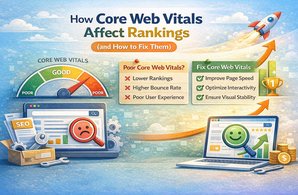
Core Web Vitals are metrics for loading, interactivity, and visual stability, and Google recommends achieving “good” CWV for success with Search and UX.
INP replaced FID (important update you should know)
Google announced that Interaction to Next Paint (INP) replaced First Input Delay (FID) as a Core Web Vital (March 12, 2024).
Canada + USA localization essentials (en-CA / en-US / fr-CA)
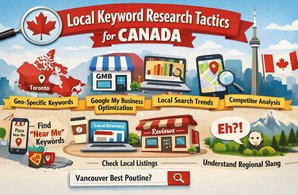
If you run both Canada + USA (and possibly French Canada), your “on-page SEO” includes making it easy for Google to understand localized variations.
hreflang (localized versions)
Google’s localized versions documentation explains using hreflang to indicate localized variations.
Practical examples you might use:
- en-CA for Canada English
- fr-CA for Canada French
- en-US for USA English
URL structure for multi-regional sites
Google recommends using a URL structure that makes geotargeting easier for multi-regional sites (examples include country domains or country subdirectories).
How to measure results (simple GSC workflow)
What to use
- Google Search Console to measure clicks/impressions/queries and troubleshoot indexing.
- Core Web Vitals report to see field-data groupings (Good / Needs improvement / Poor).
- Lighthouse for quick SEO/performance audits and basic checks.
A beginner measurement routine (per page)
- Record baseline in GSC (last 28 days): impressions, clicks, top queries, average position
- Make on-page changes (title/H1/content/internal links)
- Wait long enough to see re-crawls (varies) and compare in GSC (compare date ranges)
- If CTR is low: iterate on title/snippet copy (without misleading claims)
- If impressions are low: content may not match intent/topic coverage
Common mistakes (that waste the most time)
- Optimizing titles/meta before fixing noindex/canonical issues.
- Publishing multiple near-duplicate pages and hoping Google “figures it out” (it will choose canonicals, but you should send clear signals).
- Using “meta keywords” or other unsupported meta tags and expecting ranking impact.
- Internal links that aren’t crawlable (JS-only, missing href, empty anchors). [3]
- Adding structured data that doesn’t match visible content (risk: ineligible for rich results).
- Mobile pages missing key content/links that desktop has.
FAQs
What’s the fastest on-page SEO win for beginners?
Usually: fix indexability/duplicates first, then align title + H1 + intent, then add 2–6 strong internal links. The crawlability and anchor text guidance is explicit in Google’s docs.
Does schema guarantee rich results?
No — Google states structured data makes you eligible, but it doesn’t guarantee a rich result, and markup must follow policies and match visible content.
Does Google use the meta keywords tag?
No. Google explicitly says it doesn’t use the keywords meta tag for web search ranking
What’s the simplest Canada + USA localization setup?
Use clear locale URLs and hreflang for localized variants when you truly have localized pages (e.g., en-CA vs en-US vs fr-CA).
How does on-page SEO relate to AI features in Search in 2026?
Google’s guidance for AI features emphasizes being indexable, having useful content, and (when used) ensuring structured data matches visible content and is valid.
Sources
- Google Search Central — Influencing title links in Google Search.
- Google Search Central — How to write meta descriptions (snippets).
- Google Search Central — Link best practices for Google (crawlable links + anchor text).
- Google Search Central — General structured data guidelines + Intro to structured data.
- Google Search Central — Mobile-first indexing best practices.
- Google Search Central — Creating helpful, reliable, people-first content.
- Google Search Central — Understanding page experience + Core Web Vitals and Google Search.
- Google Search Central — Block Search indexing with noindex + Robots meta tag specifications.
- Google Search Central — Consolidate duplicate URLs (canonical).
- Google Search Central — Image SEO best practices (Google Images).
- Google Search Central Blog + Docs — Google does not use the keywords meta tag + Meta tags Google supports + SEO Starter Guide.
- Google Search Central — Localized versions (hreflang).
- Google Technical Writing — Write helpful alt text.
- Google Search Central Blog — Introducing INP to Core Web Vitals (updates).
- web.dev — INP becomes a Core Web Vital / launch notes.
- Google Search Central — How AI features in Search use website content.
- Google Search Central — URL structure best practices (multi-regional notes).
- Google — About Search Console.
- Google Search Console Help — Core Web Vitals report.
- Chrome for Developers + Google Product Blog — Lighthouse overview + SEO audit checks.