Understanding the Various Kinds of Featured Snippets
- Home
- Knowledge Sharing
- Understanding the Various Kinds of Featured Snippets
What is a Featured Snippet
Featured Snippets are special boxes at the top of Google's search results page. These boxes show a quick answer to your question, taken from a web page, along with the page's title and URL. They are designed to give you the information you want without clicking through a website. Featured Snippets can come in different formats, such as paragraphs, lists, or tables, depending on what best answers the keyword.
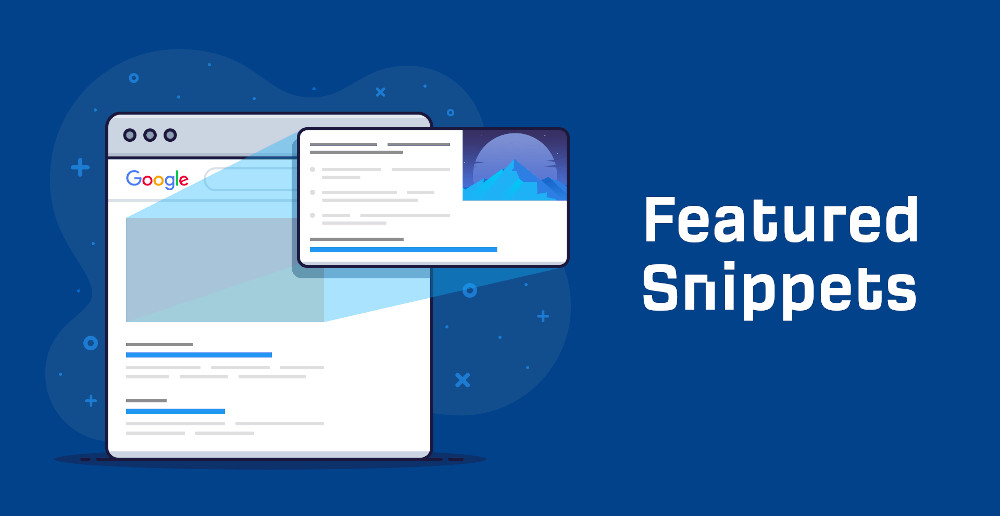
Snippets provide readers with a sense of what they will find if they navigate to one of the top ten results associated with their searches. Usually, the snippet is created using information from one of the sites occupying the second through the tenth result. Some information from the highest ranking result may also be included. For readers, this can make finding the correct data all the easier.
As a business owner, you want your site included in the featured snippet. You should know some things about the types of featured snippets and why they matter.
Paragraph Snippets
This type of featured snippet is one that most will recognize immediately. Google lifts a paragraph directly from a relevant page on your site. That paragraph includes the most direct response to the keyword typed into the search engine. For example, if you search for " What is SEO " a Featured Snippet might show the answer to your question directly on the search results page.
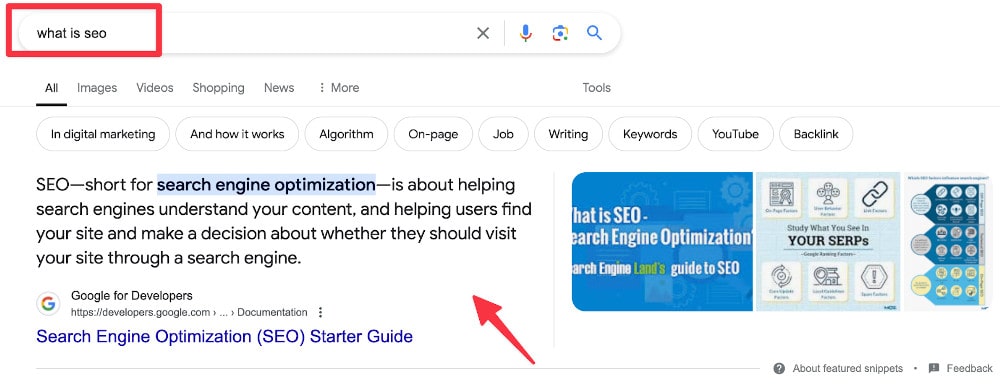
One of the great things about this snippet type is that it often motivates readers to click through and see what else is on the page. As they read the answer, a related question comes to mind. Why conduct another search when there's a good chance clicking on the provided link will take the reader to a place where the answer is waiting? Of all the different featured snippets, this is the one that is most likely to promote more click-throughs.
Paragraph snippets are great for answering what some call the 5 W's: who, what, when, where, and why. They provide just enough information to pique the reader's interest and encourage the person to visit your site and learn more. It's no wonder the paragraph snippet is so popular with readers and site owners alike.
Numbered List Snippets
Sometimes the focus is less on who or what and more on how. That's where the numbered list snippet comes into play. This type of featured snipped includes list of steps that are to be followed in a specific order.
If you operate a recipe site, Google may generate a numbered list snippet that provides the first few lines of instruction on how to make whatever the reader is planning on preparing. The same approach can be used for do it yourself projects where Google displays several steps that allow the reader to know what to do with the materials needed.
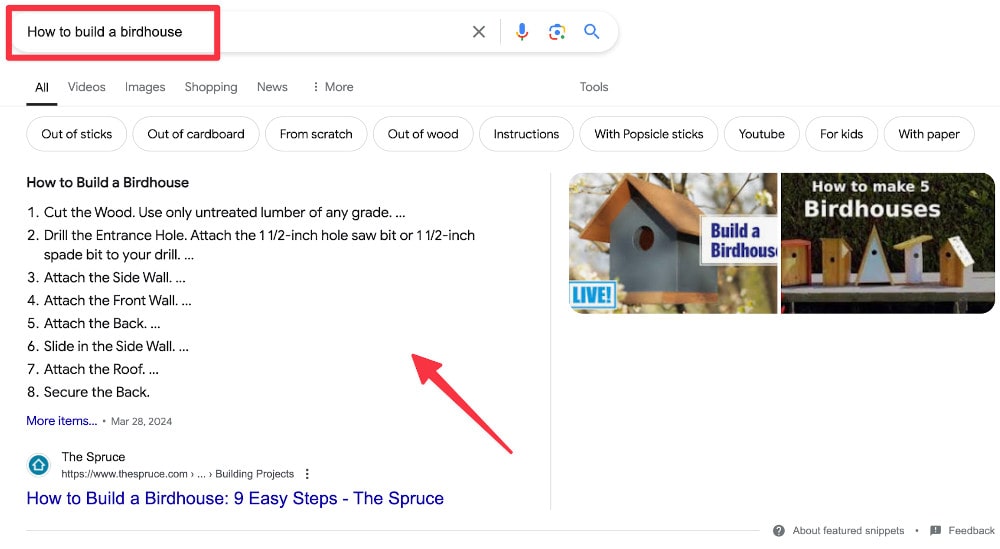
Like paragraph snippets, the numbered list snippet makes it easier to see if the site does have the information desired. If so, that leads to a click-through.
Bullet List Snippets
Unlike numbered lists, this featured snippet provides a breakdown of line items that directly relate to the reader's search keyword . While the items can be ranked, they may be provided in no particular order. This format is particularly useful for providing clear, easy-to-read lists or step-by-step instructions. For example, Bullet List Snippet for the keywords " international SEO checklist ."
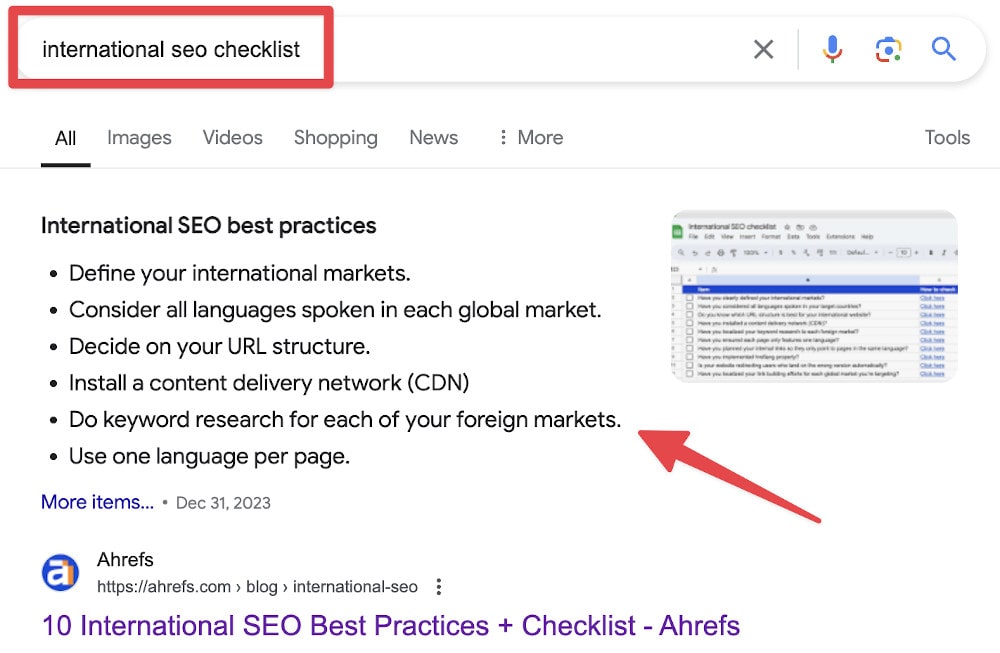
A bulleted list could also be something like the ten best songs by a musical act, with the songs listed in no particular order. You can see how this type of list would hold a lot of potential for SEO experts and content managers alike.
This is one where content managers and SEO pros can both rejoice.
Table Snippets
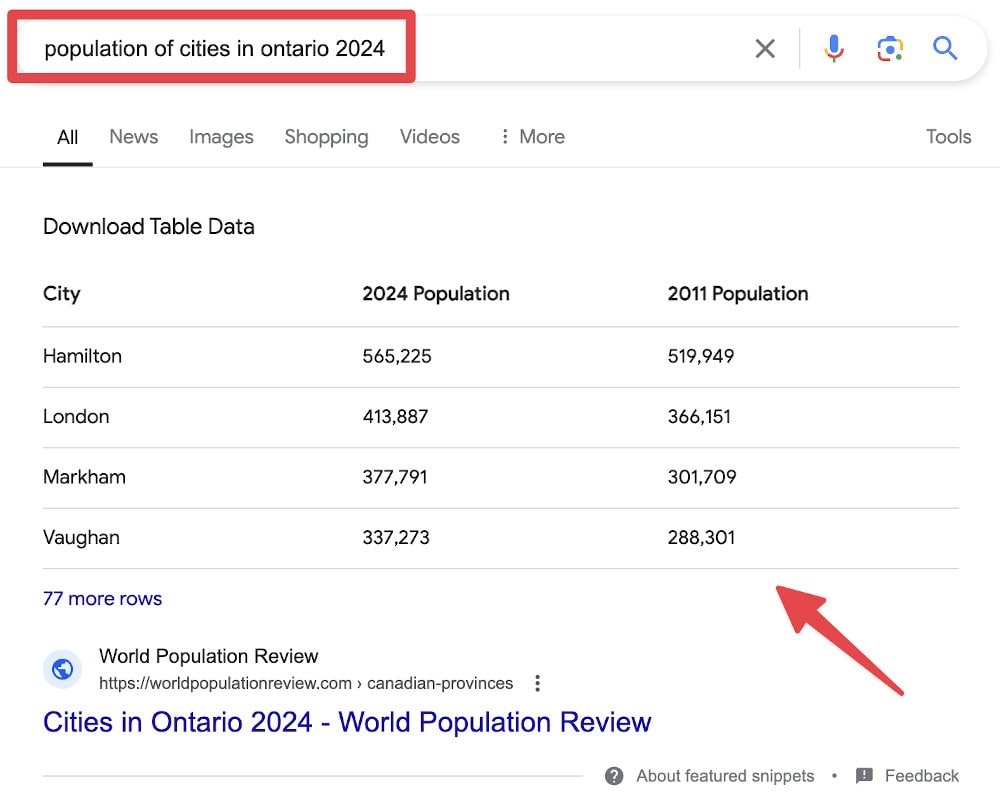
Tables are big hits with readers since they make it so easy to interpret a lot of information at a glance. This is one of the more popular Google-generated snippets. Currently, it accounts for just under 30% of the snippets Google creates.
The beauty is that this snippet doesn't replicate a chart or table you have on the site. Instead, the search engine creates a table that responds directly to the end user's keyword. The data in the table is on your site, but not necessarily in that format.
For example, if the reader wanted to know which neighborhoods in a given city experienced the most population growth between two specific years, Google would extrapolate that data from your page and display it as a table.
YouTube Snippets
YouTube Snippets in Google search results are featured snippets that include video content from YouTube. These snippets often appear when a video can effectively answer the search keyword. They typically feature a video's thumbnail, title, channel name, and a short description or timestamp of the specific video part that answers the keyword.
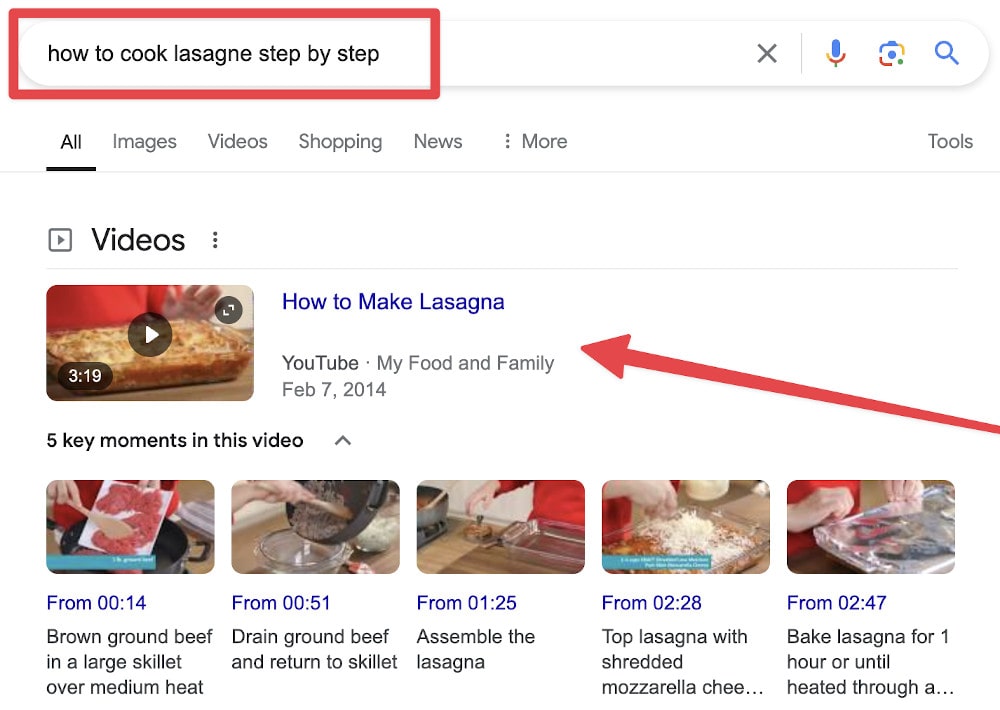
This is great if you have videos related to your business currently placed on YouTube. The reader sees the video description and can click through to view it immediately.
Expandable Featured Snippet
An Expandable Featured Snippet, also known as an Accordion Featured Snippet, is a type of featured snippet that appears at the top of Google's search results. It gives users a concise answer to their keyword and includes additional questions or elements that can be expanded to reveal more information. This interactive snippet allows users to click on drop-down arrows to see detailed answers for related sub-questions, making it easier to find comprehensive information without leaving the search results page.
For example, an Expandable Featured Snippet might display a primary answer to a question like " Common SEO Technical Issues " and include expandable sections for related queries such as "Duplicate content" and "Broken links" Users can click on these sections to see more detailed explanations.
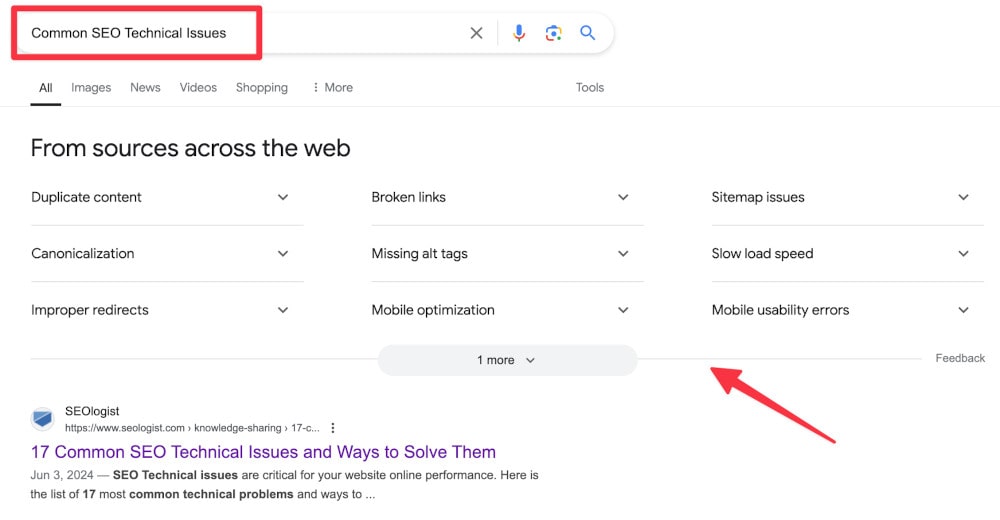
This type of snippet enhances the user experience by providing a structured and interactive way to access detailed information quickly and efficiently.
How to get a Featured Snippet
| Snippet Type | Instructions |
| Paragraph Snippets |
|
| Numbered List Snippets |
|
| Bullet List Snippets |
|
| Table Snippets |
|
| YouTube Snippets |
|
| Expandable Featured Snippet |
|
Unlock Featured Snippets for Your Business
By optimizing your content to target Featured Snippets, you can increase visibility, attract more clicks, and establish authority in your industry. Don't miss out on driving organic traffic and engaging potential customers effectively.
Contact SeoLogist today and discover how our expertise can help you dominate search engine results. Let's turn your content into your niche's go-to source for valuable information. Take action now and watch your visibility soar!
Various Kinds of Featured Snippets FAQs
How does Google choose which page becomes the source of a featured snippet?
Google tends to pull from pages that directly satisfy the query with concise, well-structured sections, strong topical focus, and clear headings. It also looks for signals of reliability such as crawlability, internal linking, and consistent on-page formatting. You don’t need to rank #1, but you typically need to be on page one and provide the cleanest, most scannable answer.
What formatting tactics increase the odds of earning any snippet type?
Use a single, precise answer immediately after a subheading that mirrors the query, followed by supportive detail. Keep the core answer in the 40 - 60 word range for paragraphs, logical step formatting for numbered lists, and one-topic-per-table for tabular data. Add a short intro line above lists/tables to give Google context.
How do I find opportunities where my site can win a snippet from competitors?
Pull a list of keywords where you already rank in the top 10 but don’t own the snippet, then inspect the current winner’s structure. Look for gaps: missing steps, outdated data, or vague definitions. Reformat your section to answer more directly, add clarifying context, and make your markup and headings unambiguous.
Can structured data help with featured snippets?
While featured snippets aren’t guaranteed by schema, clean structured data (FAQ, HowTo, Recipe, QAPage) helps search engines understand sections and intent. Use schema to reinforce the hierarchy and roles of elements, not to stuff keywords. Paired with tight copy and headings, schema can tip close contests in your favor.
How do I measure the impact of winning a snippet beyond clicks?
Track impression changes, position volatility, and branded queries after the win to gauge awareness lift. Compare assisted conversions and engagement for the snippet URL versus similar non-snippet pages. If zero-click behavior increases, evaluate whether the brand exposure and subsequent navigational searches offset reduced CTR.
What should I do if I keep losing a snippet back and forth (“snippet volatility”)?
Stabilize your section by tightening the answer, refreshing data, and ensuring your page loads quickly. Add adjacent sub-questions on the same page to capture long-tail variants that “pin” relevance. Revisit internal links and anchor text to reinforce that this URL is your canonical answer for the topic.
Are there risks to targeting featured snippets?
Yes, over-answering can encourage zero-click searches where users don’t visit your site. Mitigate this by giving the essential answer, then teasing depth (examples, calculations, or frameworks) that require a click. Also ensure the snippet text is accurate and brand-safe because it will be quoted widely.
How often should I refresh snippet-targeted content?
For fast-changing topics (prices, dates, rankings, statistics), schedule quarterly or even monthly updates. For stable definitions or evergreen checklists, review at least twice a year for clarity, examples, and internal link maintenance. Each refresh is a chance to tighten the lead paragraph/list/table that powers the snippet.
Do snippets differ across countries or languages, and how do I adapt?
Yes, query phrasing and intent can shift by locale, which changes the ideal snippet format and examples. Localize headings, units, regulatory references, and examples; don’t just translate. Maintain separate pages or clearly segmented sections for each market to let the best localized block win.
What’s a practical workflow to earn more snippets systematically?
Start with a “questions hub” spreadsheet: query, current owner, your rank, recommended format (paragraph/list/table/video), and proposed answer block. Rewrite the target section with a direct answer lead, add supportive detail, ensure scannable formatting, and publish. Monitor weekly, iterate on structure, and expand with closely related sub-questions to build topical authority.